 NFC OPERATIONS
Ordering custom NFC and QR Code stickers is not always a one-time project. Businesses often need additional quantities, updated artwork, or similar designs for different departments, products, and ongoing activities.
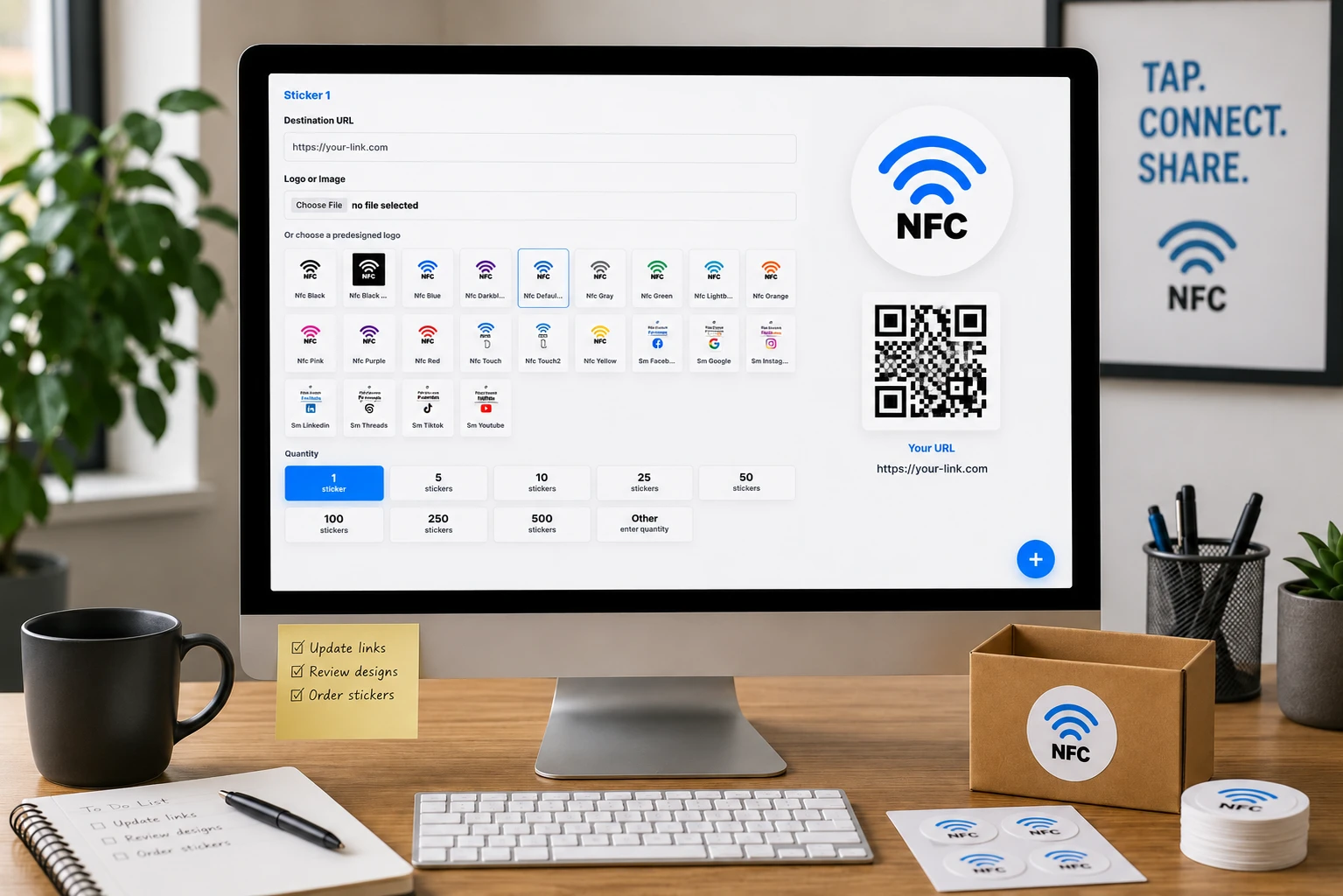
A well-organized ordering workflow makes these tasks easier to manage. Instead of preparing every order from scratch, teams can save unfinished projects, refine existing designs, and reuse previous artwork when new requirements arise.
NFCOP supports flexible sticker ordering workflows that help businesses manage repeat purchases, coordinate design updates, and control printing costs. With free delivery and credits applied only to printed NFC and QR Code sticker units, teams can focus on the materials they actually need.
1. Save Unfinished Orders and Continue When Ready
Not every sticker order can be completed in a single session. Artwork may require approval, quantities might change, or a purchasing decision may depend on input from colleagues.
Saving an unfinished order allows businesses to continue their preparation without unnecessarily repeating earlier work. This is particularly helpful when several people contribute to the ordering process.
Common situations where saved orders are useful include:
- Pending Design Approval: Keep an order unfinished while a manager or client reviews the proposed sticker artwork.
- Quantity Adjustments: Prepare the design first and finalize the number of stickers after confirming actual demand.
- Multiple Project Requirements: Organize separate sticker orders for different teams, product lines, or business activities.
- Scheduled Purchasing: Prepare upcoming orders before the materials are required, then complete them at the appropriate time.
A practical approach is to establish clear internal names for each project and record which designs have been approved. This helps prevent confusion when multiple orders are being prepared simultaneously.
2. Edit Existing Sticker Artwork Instead of Starting Over
Repeat sticker orders rarely require a completely new design. In many cases, businesses want to preserve their established branding while changing only specific details.
Reusing and editing existing artwork can reduce preparation time and help maintain a consistent visual identity across different printing batches.
Typical artwork updates include:
- Replacing a product name, reference number, or short promotional message.
- Updating logos, brand colors, or graphic elements to reflect revised company guidelines.
- Adapting an approved layout for another department, branch, or product variation.
- Correcting text, improving readability, or adjusting the placement of printed elements.
- Preparing alternative designs while preserving the original artwork for future orders.
For teams that frequently update printed materials, maintaining a collection of approved artwork can make subsequent orders more efficient.
Before submitting a revised design, confirm that the dimensions, text, QR Code, and NFC destination details match the intended order. Keeping clear version names also helps distinguish current artwork from older variations.
3. Build a Consistent Reordering Process for Your Team
A repeatable process is especially valuable when sticker orders involve marketing, purchasing, design, and operations teams.
Rather than recreating instructions for every request, businesses can establish a simple routine based on previously approved designs and order requirements.
The following example shows how responsibilities can be organized:
| Workflow Stage | Suggested Responsibility | Key Action |
|---|---|---|
| Request | Project Coordinator | Confirm the required sticker type and quantity |
| Artwork Review | Design Team | Reuse or update an approved design |
| Content Check | Project Owner | Verify printed text and destination details |
| Order Approval | Purchasing Team | Confirm quantity and credit requirements |
| Final Submission | Authorized Team Member | Complete the order for production |
This example represents an internal team workflow, not a requirement for assigning separate roles within the ordering platform.
For recurring projects, teams can also maintain a simple reference record containing the approved design name, sticker specifications, last ordered quantity, and any changes needed for the next batch.
When new stickers are required, the team can refer to the existing design, make the necessary adjustments, and reorder similar units without repeating the entire preparation process.
4. Simplify Repeat Purchases with Sticker Credits and Free Delivery
Cost planning becomes particularly important when businesses order printed NFC and QR Code stickers regularly or across multiple projects.
NFCOP's credit-based ordering approach keeps the distinction between printed products and delivery straightforward:
- Credits for Printed Units: Credits are used for the NFC and QR Code sticker units included in an order.
- Free Delivery: Delivery remains free, so sticker credits are not consumed by shipping costs.
- Flexible Order Preparation: Teams can save unfinished orders and confirm their requirements before completing a purchase.
- Convenient Repeat Ordering: Existing sticker designs can serve as the starting point for future quantities or similar artwork variations.
This structure makes it easier to plan recurring printing needs, particularly when several departments share responsibility for purchasing physical materials.
Teams should review the final sticker quantities and corresponding credit usage before submitting each order. Maintaining a basic purchasing record can also help estimate future requirements and avoid unnecessary duplicate orders.
A More Efficient Way to Manage Ongoing Sticker Orders
Repeat ordering should be a continuation of previous work, not a complete restart. Keeping designs organized, saving unfinished orders, and establishing clear approval steps can make routine purchasing more predictable.
NFCOP brings these practical requirements together by supporting custom NFC and QR Code sticker preparation, artwork editing, and reordering of similar designs.
Make your next sticker order simpler with NFCOP. Save your unfinished work, update existing artwork, confirm the printed units you need, and take advantage of free delivery with credits used only for NFC and QR Code sticker printing.