 NFC OPERATIONS
NFCOP makes it easy to understand how an NFC sticker can open a URL on a smartphone—and why the experience feels so effortless for users. For businesses considering tap-to-open URL stickers, the goal goes beyond creating an attractive design. A successful NFC sticker should make the next customer action clear, immediate, and easy to measure.
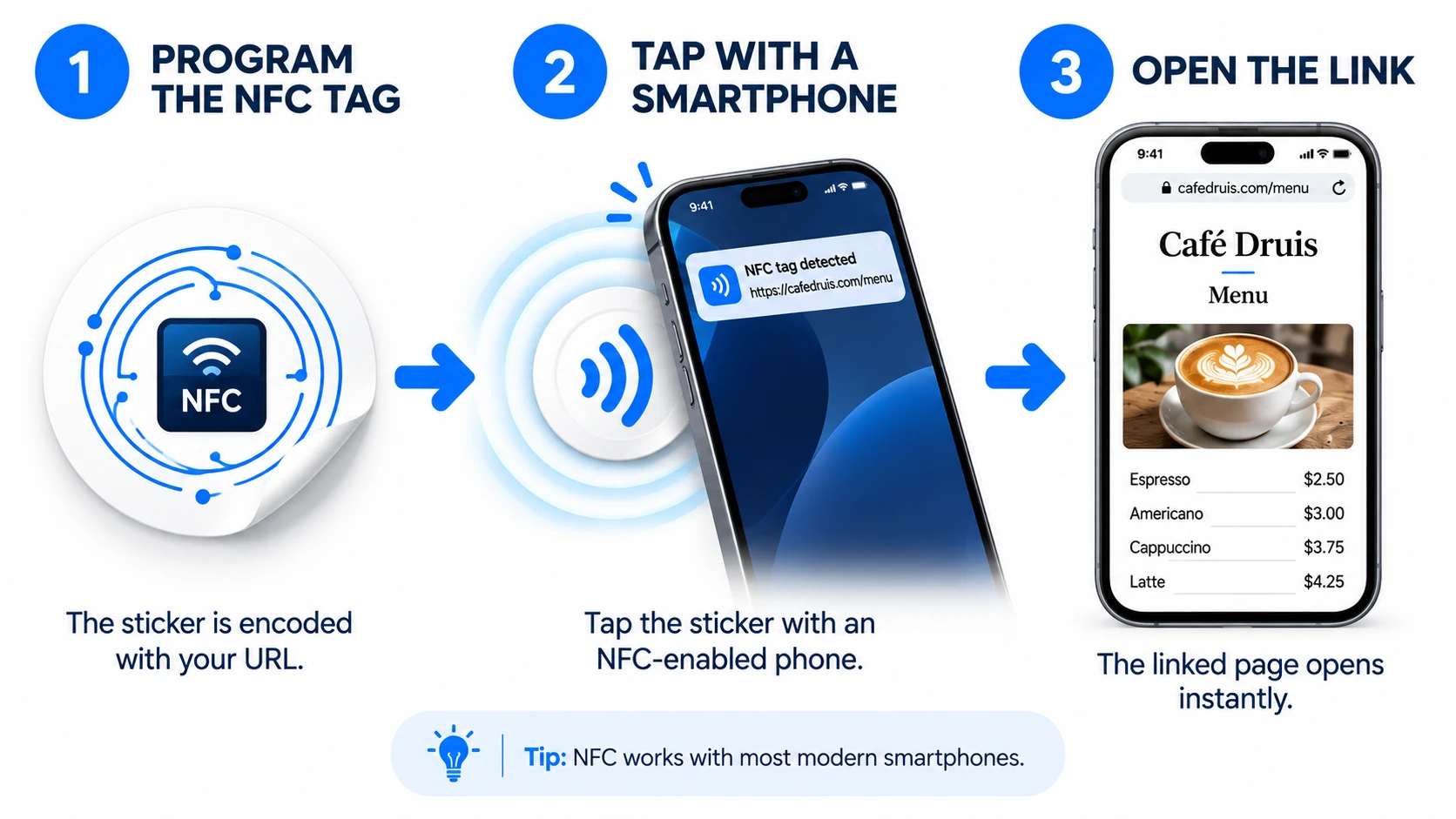
Why NFC URL Stickers Matter
Many customers are already familiar with QR Codes, but fewer understand how NFC chips can store and open website links. An NFC and QR Code sticker creates a simple bridge between a physical interaction and a digital destination, helping customers take action with minimal effort.
The most effective experience is straightforward: tap or scan the sticker, open the correct URL, and continue without unnecessary steps or confusion.
- Explain NFC technology in simple, customer-friendly language.
- Let users know that most modern smartphones support NFC.
- Choose between a direct URL and a Dynamic URL based on your campaign needs.
Choosing the Right URL and Placement
| Interaction | URL Type | Purpose |
|---|---|---|
| NFC tap | Encoded URL | The smartphone reads the NFC chip and opens the destination. |
| QR Code scan | Matching URL | Visitors can scan the QR Code if they prefer not to use NFC. |
| Dynamic link | Editable destination | The destination can be updated later without replacing the sticker. |
NFC stickers can link to websites, digital menus, review pages, booking pages, social media profiles, forms, landing pages, and many other online destinations. The best URL is the one that matches the customer's situation at the moment they tap or scan.
For example, a sticker placed on a restaurant table might open a menu or ordering page, while a sticker on product packaging could lead to instructions, product information, registration, or customer support. Stickers placed on signs, counters, badges, or promotional materials should direct visitors to the page that is most useful in that specific context.
Direct URLs vs. Dynamic URLs
A direct URL is written directly to the NFC chip and works well when the destination is unlikely to change. A Dynamic URL adds more flexibility by allowing the final destination to be updated later without reprinting or re-encoding the sticker.
Dynamic URLs can also be useful for campaigns that require visitor statistics or changing promotions. Businesses can keep the same physical sticker while updating where customers are sent over time.
Give Every URL a Physical Touchpoint
NFCOP can produce custom printed NFC stickers, encode the NFC chips with your chosen URL, and include matching QR Codes for customers who prefer scanning. Optional Dynamic URLs can provide additional flexibility for future destination changes and usage statistics.
Your stickers can arrive ready to use. Simply prepare your destination URL, choose your design, confirm the quantity, and start creating NFC stickers that connect customers directly to the next step.