 NFC OPERATIONS
NFCOP helps turn Google Reviews and customer feedback into an immediate action customers can take while their experience is still fresh. For local businesses, hospitality teams, retail stores, service providers, and customer support teams, the goal is more than creating an attractive sticker. It is about making the next step clear, fast, and measurable.
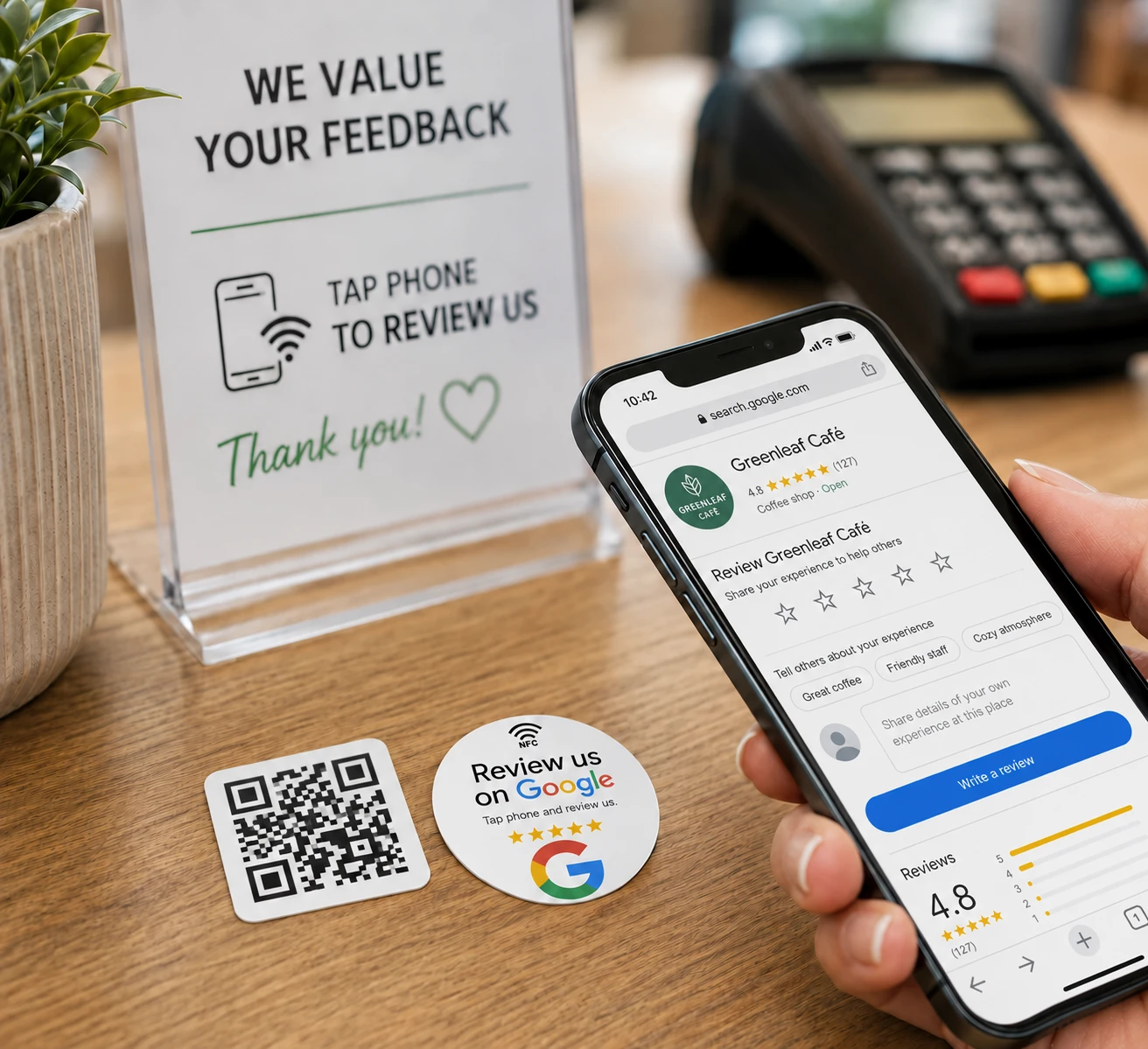
Why NFC and QR Code Review Stickers Matter
Review requests often lose momentum when customers need to search for the correct business profile, type in a URL, or remember to leave feedback later. A well-designed NFC and QR Code sticker removes those extra steps by creating a direct connection between the real-world customer experience and the digital page where they can take action.
The most effective campaigns keep the experience simple: tap the NFC sticker or scan the QR Code, open the correct page, and continue without unnecessary steps or confusion.
- Clearly tell customers what will open when they tap or scan.
- Use location-specific URLs for businesses with multiple branches.
- Keep the review or feedback process short, transparent, and easy to complete.
Review and Feedback URLs to Use
| Placement | URL to Open | Marketing Purpose |
|---|---|---|
| Checkout counter | Google Review page | Encourages satisfied customers to leave a review before or just after leaving the store. |
| Service desk | Private feedback form | Collects detailed comments, suggestions, or service-related concerns. |
| Packaging insert | Review or support page | Connects with customers after receiving and using their order. |
Useful destination URLs can include Google Review profiles, customer feedback forms, satisfaction surveys, support pages, and location-specific review links. The best destination depends on where the sticker is placed and what the customer is likely to need at that moment.
For example, a sticker placed on a checkout counter may link directly to a Google Review page, while a sticker on packaging may work better when linked to a review, support, or product feedback page. Whether the sticker is placed on a table, product, sign, package, badge, or counter, the destination should match the customer's immediate context.
Make Every Tap and Scan More Useful
A successful NFC or QR Code sticker should make the desired action obvious before the customer interacts with it. Simple calls to action such as “Tap to Review,” “Scan to Share Feedback,” or “Tap for Support” help set expectations and can reduce hesitation.
Businesses with several locations can also assign a different URL to each location, making it easier to direct customers to the correct review profile and understand where engagement is coming from.
Make Feedback Easier to Collect
NFCOP can produce custom printed NFC stickers, encode the NFC chips, include matching QR Code stickers, and provide optional Dynamic URLs for future link changes and statistics. Stickers can be prepared and delivered ready to use, helping businesses create a smoother connection between physical customer interactions and digital reviews, feedback, or support.
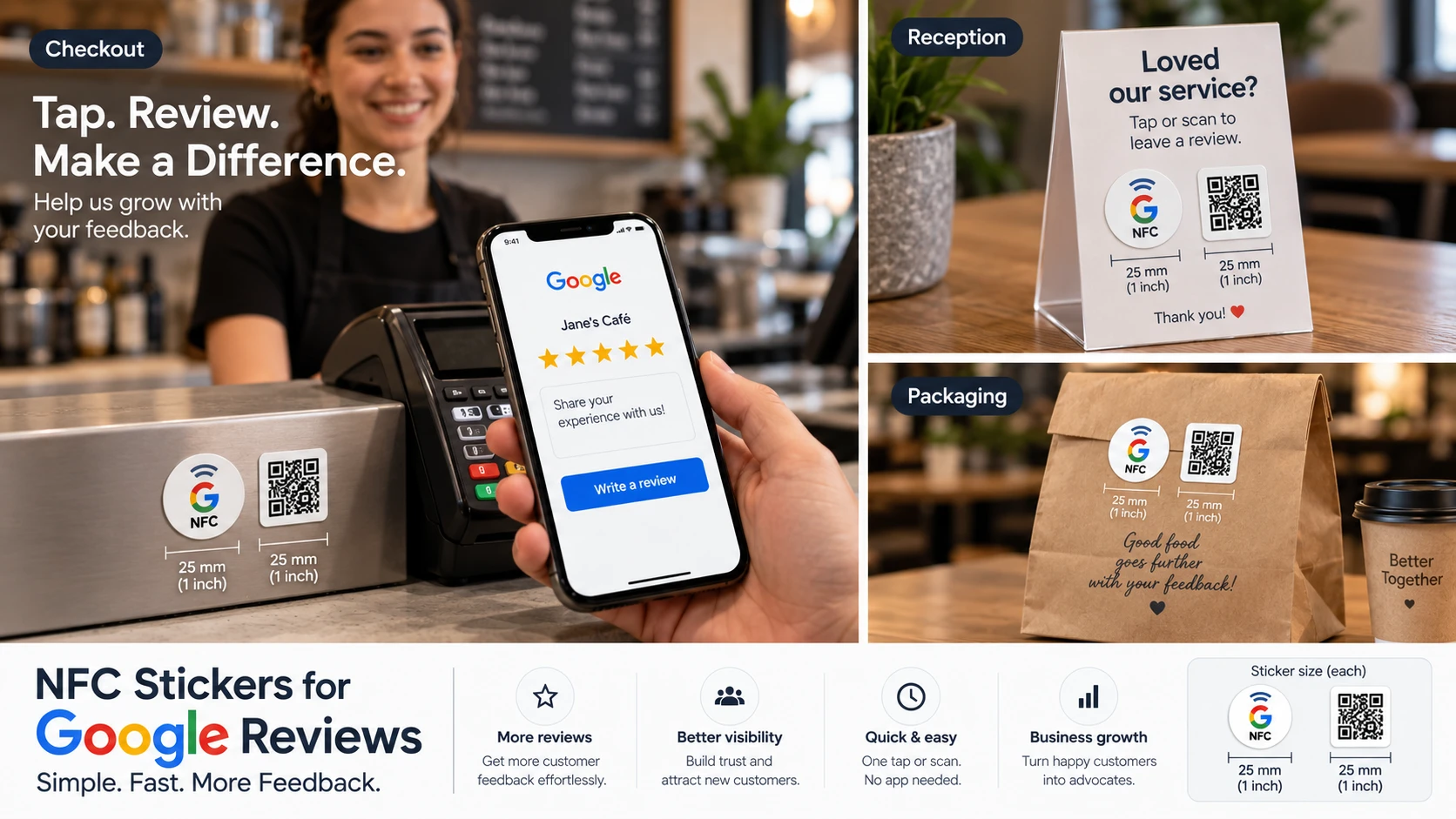
If this use case fits your project, the process is straightforward: prepare your destination URL, choose your sticker design, confirm your quantity, and start creating NFC and QR Code stickers for your business.